


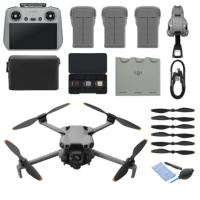


Hard Drive & SSD
If you are looking to quickly & easily save photos, videos and files then a hard drive or SSD is what you need. These also give you the option to make a back-up of important documents on your desktop, laptop or tablet.
197
Search results
Sort by:
Popularity
Popularity
Price low - high
Price high - low
["12499871","12474975","12537075","12499916","12478020","12466526","12522649","12303852","12340763","12377003","12549691","12580540","12349369","12562385","12303854","12480640","12340762","12367663"]
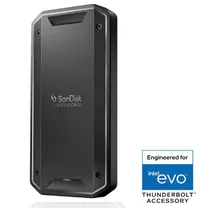
SanDisk Professional PRO-G40 SSD 2 TB mobile SSD
On order
599 €

Samsung Portable SSD T5 EVO 8TB black
Temporarily sold out
849, 99 €

Glyph Blackbox Pro 22 TB 7200RPM Enterprise Class USB-C (3.1) (Works with 3.0/2.0)
On order
1125 €
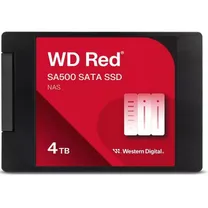
WD Red SSD 4TB 2.5in 7mm SATA 6GB/s
On order
1250, 99 €
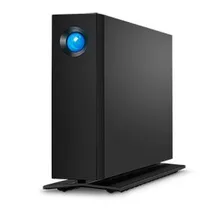
LaCie d2 Professional 24TB USB-C desktop hard drive
Temporarily sold out
1164, 30 €

Samsung Portable SSD T9 4TB, Black
Temporarily sold out
List price 1299 €
1167, 99 €
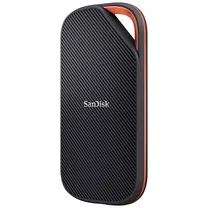
SanDisk 4TB Extreme PRO SSD with USB4
On order
1123, 99 €
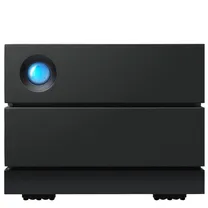
LACIE 2big RAID 16 TB USB-C 3.5inch hot swappable IronWolf Pro drives 7.2rpm + 5 year data recovery
Temporarily sold out
List price 1199 €
1099, 99 €

LaCie 1big Dock 16TB Thunderbolt 3 USB 3.1
Temporarily sold out
1107, 99 €

LaCie 1bigDock 18TB Thunderbolt 3 USB-C
On order
1008, 83 €
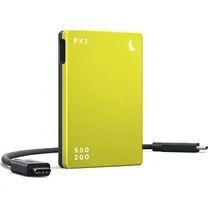
Angelbird SSD2GO PKT MK3 Portable SSD 2TB Lime/Grey
On order
560 €
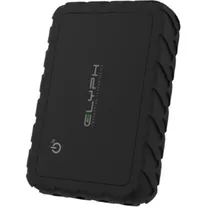
Glyph Atom EX80 USB4 Portable SSD – 2TB
Temporarily sold out
785 €
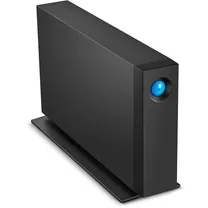
LaCie d2 Professional 16TB USB-C
Temporarily sold out
List price 899 €
829, 99 €

LaCie LAC9000354 LaCie 2big Quadra 2 x Total Bays DAS Storage System 6 TB HDD
Temporarily sold out
491, 02 €
LACIE 2big RAID 8TB Thunderbolt 3 USB-C 3.5inch hot swappable IronWolf Pro drives 7.2rpm + 5 year data recovery
Temporarily sold out
852, 99 €
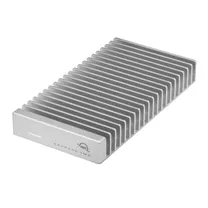
OWC Express 1M2 USB4 2.0TB - over 3000MB/s on USB4 equipped Macs & PCs
On order
866, 99 €

LaCie 1big Dock 8TB Thunderbolt 3 USB 3.1
Temporarily sold out
837, 99 €
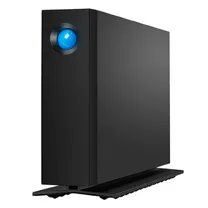
LACIE d2 Professional 18TB USB-C
Temporarily sold out
804, 36 €
Popularity
Price low - high
Price high - low
Popular storage medium
A hard drive is an external memory device that saves various user and computer operating system data. In recent years the price of devices such as these has dropped significantly, and these days countless models with more than 1 terabyte of storage space are to be found. A hard drive can also be used as temporary memory, should a system exceed its memory capacity. With this type of drive the information is transferred onto the drive via a moveable arm, after which this info can be read. Your computer or tablet will by default have its own hard drive, but when you need more capacity for all your data, we recommend you buy a portable drive. This can easily be connected to the device via a USB connection, NAS system or FireWire.
Write & Read speeds
The speed of a hard drive determines the device's functionality and performance. The rotating disks in the hard drive itself can reach a particular speed that is expressed as revolutions per minute (RPM). Common speeds are 5400 and 7200 RPM. In addition, the write and read speeds determine the device's performance. This speed is expressed in megabytes per second (MB/s). The more data a hard drive can process per minute, the faster the system will work. The speed at which files can be transferred from your laptop or desktop to your hard drive in turn depends on the connection. With a USB 3.0, for example, you can transfer files to your drive 10x faster than with a USB 2.0 cable.
Storage capacity
The amount of storage space available depends on the type of information you wish to save. If you are looking to save many high quality videos it is advisable to buy a hard drive with at least 1 TB capacity. Lower capacity drives are suitable for saving photos and documents. However, all files nowadays take up ever more space, so we recommend buying a larger capacity drive than you might need. Leaving you prepared for the future.
SSD
With the launch of the SSD (solid state drive) in 2009 the speed of storage media was given a stimulus. The accessibility and transfer speed of the SSD far exceed that of a hard drive. In part this can be put down to the fact that the SSD stores data on memory chips. This doesn't happen with a moveable arm, such as with a hard drive, but instead via an electrical charge. Due to their high speed functionality SSDs are frequently used as a computer's start-up drive, but portable SSDs can be very handy too. Especially if you watch lots of films and listen to lots of music.
Accessories
A portable hard drive must be hooked up to your laptop or tablet. This can be done via a USB cable that is often supplied with it. Or it can be bought separately, of course. If you have run out of USB ports on your device you might want to consider a hub with individual USB ports. Giving you ample space to store stuff whenever you need to on portable devices. To protect your hard drive when you're out and about, a matching cover is very practical.