




Epson scanners
An Epson scanner provides the ability to digitise physical documents and cherished photos in high quality. Epson is known for innovative technology that accurately captures colours and details. This makes these devices suitable for both administrative use and for photographers who wish to archive analogue work. You have a choice of various models ranging from fast document scanners to specialised high-resolution photo scanners. With an Epson scanner, you can securely store your images and documents digitally so that they remain accessible forever.
3
Search results
Sort by:
Popularity
Popularity
Price low - high
Price high - low
["12447712","12277804","12543544"]

Epson Perfection V39II Scanner
In stock
List price 119 €
104 €

Epson FastFoto FF-680W Scanner
In stock
List price 599 €
499 €
 5 years warranty
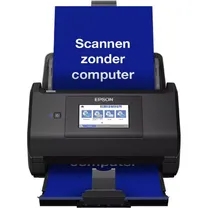
Epson WorkForce ES-580W Document scanner
On order
List price 459,99 €
416, 19 €
Popularity
Price low - high
Price high - low
Buy Epson scanner at Photospecialist
At Photospecialist, you will find a wide range of scanners including the Epson scanner that perfectly meets your needs. We understand that digitising your work requires precision. That is why we are happy to help you find the right model for your specific situation. Our experts are ready to assist you in-store and via customer service to answer all your questions. You can count on expert advice and excellent service so that you can immediately get started with digitising your story.
Frequently asked questions about Epson scanner
How do I install an Epson scanner?
You install the scanner by downloading the included software from the official website and following the on-screen instructions. Make sure to only connect the scanner to the computer via USB or wifi when the installation wizard prompts you to do so. After installation, restart your computer to activate the drivers correctly.
How do I scan to my computer with an Epson scanner?
Place the document or photo on the glass plate and open the scan application on your computer. Select the desired settings such as resolution and file format and click the scan button to start the process. The file will then be automatically saved in the folder you chose during configuration.
Where can I find the Epson scan software?
The software can be found on the support page of the manufacturer's website by entering your specific model number. Here, you can download the latest drivers and utilities necessary for operating the device. Some operating systems automatically install a basic version as soon as you connect the device.
Which Epson scanner is suitable for photos?
For digitising photos, the Perfection series is an excellent choice due to its high optical resolution and colour depth. These models often come with specific holders for negatives and slides so that you can scan analogue material as well. The software also assists in correcting scratches and dust for optimal results.