




DJI Care Refresh 2-Year Plan for DJI RS 4
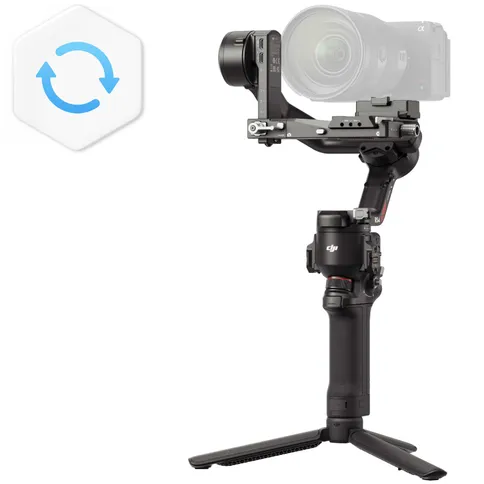

Protect your DJI RS 4 with DJI's 2-year Refresh plan. The protection plan from the manufacturer provides two years of coverage and includes protection against accidental damage.
Choose your option
89 €
Delivered within 3 to 4 working days
Protect your DJI RS 4 with DJI's 2-year Refresh plan. The protection plan from the manufacturer provides two years of coverage and includes protection against accidental damage.
Reviews
Description
DJI Care Refresh 2-year subscription for DJI RS 4
Protect your DJI RS 4 with DJI's 2-year Refresh plan. The manufacturer's protection plan provides cover for two years and includes protection against accidental damage. This insurance covers damage due to improper use, water damage, damage due to signal failure or any other damage. You can replace parts twice a year. In addition, with this DJI Care Refresh you always get advice about your products when you need it and the products are shipped for free. You can also opt for the EXPRESS option, so that your product is repaired faster and you can get back to work quickly. You can buy this insurance in four regions: Asia, Europe, Australia, and North America.
How do I activate the DJI Care Refresh?
- Go to the activation page: support.dji.com/care/active
- Enter the following here:
- Serial number of the gimbal
- The activation code of the DJI Care Refresh
- Personal information
- The DJI Care Refresh agreement will be sent to your email
What are the conditions?
The DJI Care Refresh sets some conditions for the insurance:
- The gimbal must be new and not yet activated
- The Care Refresh must be activated within 48 hours of activating the gimbal
- You can only have the gimbal repaired in the region where you bought it
- The Care Refresh is not valid on OUTLET gimbals
- The Care Refresh is valid for 2 years (24 months)
The process follows the following five steps:
- There is a problem with the gimbal. You can contact DJI at: www.dji.com/support for instructions on how to ship the damaged gimbal
- You place a repair request online at: www.dji.com/service/repair
- The request is sent to the DJI Repair Center
- You pay the replacement costs
- The repaired gimbal will be shipped to you for free
- Consideration points repair process
Note: You must provide the gimbal that can be repaired. In case of loss of the gimbal, DJI will not proceed to compensation.
You must maintain contact with DJI yourself. It is also possible via Kamera Express, but this will cause logistical delay.
Information on the EU General Product Safety Regulation (GPSR)
DJI
A&C Systems
Hogeweg 37C, 5301 LJ Zaltbommel, The Netherlands
DJI Care Refresh 2-year subscription for DJI RS 4
Protect your DJI RS 4 with DJI's 2-year Refresh plan. The manufacturer's protection plan provides cover for two years and includes protection against accidental damage. This insurance covers damage due to improper use, water damage, damage due to signal failure or any other damage. You can replace parts twice a year. In addition, with this DJI Care Refresh you always get advice about your products when you need it and the products are shipped for free. You can also opt for the EXPRESS option, so that your product is repaired faster and you can get back to work quickly. You can buy this insurance in four regions: Asia, Europe, Australia, and North America.
How do I activate the DJI Care Refresh?
- Go to the activation page: support.dji.com/care/active
- Enter the following here:
- Serial number of the gimbal
- The activation code of the DJI Care Refresh
- Personal information
- The DJI Care Refresh agreement will be sent to your email
What are the conditions?
The DJI Care Refresh sets some conditions for the insurance:
- The gimbal must be new and not yet activated
- The Care Refresh must be activated within 48 hours of activating the gimbal
- You can only have the gimbal repaired in the region where you bought it
- The Care Refresh is not valid on OUTLET gimbals
- The Care Refresh is valid for 2 years (24 months)
The process follows the following five steps:
- There is a problem with the gimbal. You can contact DJI at: www.dji.com/support for instructions on how to ship the damaged gimbal
- You place a repair request online at: www.dji.com/service/repair
- The request is sent to the DJI Repair Center
- You pay the replacement costs
- The repaired gimbal will be shipped to you for free
- Consideration points repair process
Note: You must provide the gimbal that can be repaired. In case of loss of the gimbal, DJI will not proceed to compensation.
You must maintain contact with DJI yourself. It is also possible via Kamera Express, but this will cause logistical delay.
Information on the EU General Product Safety Regulation (GPSR)
DJI
A&C Systems
Hogeweg 37C, 5301 LJ Zaltbommel, The Netherlands
Specifications
| Info | |
|---|---|
| Article number | 12488416 |
| Info | |
|---|---|
| Article number | 12488416 |