


Corel Pinnacle Studio 24 Ultimate *Download*

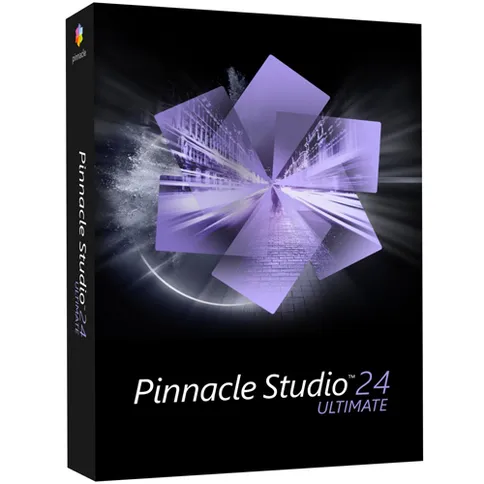

PLEASE NOTE: this is a download item. After ordering, you will receive a download code and link from our customer service with which you can activate the software. Download products cannot be returned.
129 €
PLEASE NOTE: this is a download item. After ordering, you will receive a download code and link from our customer service with which you can activate the software. Download products cannot be returned.
Reviews
Average rating
20-5-2021 Louis
Overall rating
Description
Corel Pinnacle Studio 24 Ultimate * DOWNLOAD *
The Corel Pinnacle Studio 24 is advanced video editing software. Get creative with hundreds of effects, titles and new images, or choose from a library of intuitive project templates. With powerful colour correction tools, you transform your recordings into high-quality productions.
You can easily edit your videos on a timeline or in the storyboard by dragging and dropping them. For a professional result, you use hundreds of effects, transitions and other tools. You can do it yourself or use one of the video templates. Pinnacle Studio's customizable and intuitive interface streamlines your workflow. Are you satisfied? Then you simply export your project to a device, upload it online or burn it to a disc.
A few new features in Pinnacle Studio 24
- New possibilities with video masks
- New ability to create custom title graphics with motion with the redesigned Title Editor
- New overlays and images
- Improved keyframe controls that streamline your editing
Features of Corel Pinnacle Studio 24 Ultimate
- Advanced video editing software
- Choose from hundreds of effects, titles
- Work with templates or get started yourself
- Intuitive interface for streamlined workflow
- Powerful colour correction tools for professional results
- Easily export, save or burn videos online
- 4K video support
- Editing 360-degree videos
Main differences between Standard, Plus and Ultimate
- Timeline editing with 6 tracks in Standard, versus 24 in Plus and unlimited in Ultimate.
- Ultimate supports 4K video
- Multicam editing with 2 cameras in Standard, 4 in Plus and 6 in Ultimate.
- Enjoy the full functionality of Colour Enhancement in Ultimate. Plus has simplified the basic functionalities and Standard.
- Only Plus and Ultimate track movement, with Ultimate also tracking faces.
- 360-degree video editing is only possible in Ultimate.
- Only Plus and Ultimate let you customize your workspace and shortcuts, group and nest clips, and work with keyframe effects.
- All versions come with hundreds of effects, transitions, titles and templates, but only Ultimate has new animated overlays.
- Only Plus and Ultimate have XAVC S support. Ultimate also has XAVC and DVCPRO HD decoding and can import MXF files.
System requirements
- Operating system: Windows 10, 64-bit
- Processor: Intel Core i3 or AMD A4 3.0 GHz or higher
- Intel Core i5 or i7 1.06 GHz or higher required for AVCHD and Intel Quick Sync Video support
- Intel Core i7 4th generation or higher or AMD Athlon A10 or higher for editing multi-camera recordings
- Intel 6th Gen or higher or AMD Ryzen or higher for face tracking (EXCLUSIVE IN ULTIMATE)
- RAM: 4 GB or higher, more than 8 GB highly recommended for multi-camera editing
- Graphics Card: minimum resolution 1024 x 768, minimum 256MB VRAM, 512MB or higher recommended for hardware decoding acceleration
Recommended DirectX graphics device: - NVIDIA GeForce 700 series / Quadro 600 (based on Fermi) or newer (compatible with CUDA for CUDA support)
- ATI Radeon HD 5XXX series or higher
- Intel HD Graphics from Ivy Bridge or higher
- 3D Titler requires DirectX 11
- Sound card: Windows compatible sound card
- Hard disk space: 8 GB hard disk space for complete installation
- An internet connection is required for installation, registration and updates. Registration is required for product use
You will receive a download code with which you can download and activate Corel Pinnacle Studio 24 Ultimate. Please note: downloadable software cannot be returned.
Information on the EU General Product Safety Regulation (GPSR)
Corel
Micromedia BV
Postbus 38303, 6503 AH Nijmegen, The Netherlands
Corel Pinnacle Studio 24 Ultimate * DOWNLOAD *
The Corel Pinnacle Studio 24 is advanced video editing software. Get creative with hundreds of effects, titles and new images, or choose from a library of intuitive project templates. With powerful colour correction tools, you transform your recordings into high-quality productions.
You can easily edit your videos on a timeline or in the storyboard by dragging and dropping them. For a professional result, you use hundreds of effects, transitions and other tools. You can do it yourself or use one of the video templates. Pinnacle Studio's customizable and intuitive interface streamlines your workflow. Are you satisfied? Then you simply export your project to a device, upload it online or burn it to a disc.
A few new features in Pinnacle Studio 24
- New possibilities with video masks
- New ability to create custom title graphics with motion with the redesigned Title Editor
- New overlays and images
- Improved keyframe controls that streamline your editing
Features of Corel Pinnacle Studio 24 Ultimate
- Advanced video editing software
- Choose from hundreds of effects, titles
- Work with templates or get started yourself
- Intuitive interface for streamlined workflow
- Powerful colour correction tools for professional results
- Easily export, save or burn videos online
- 4K video support
- Editing 360-degree videos
Main differences between Standard, Plus and Ultimate
- Timeline editing with 6 tracks in Standard, versus 24 in Plus and unlimited in Ultimate.
- Ultimate supports 4K video
- Multicam editing with 2 cameras in Standard, 4 in Plus and 6 in Ultimate.
- Enjoy the full functionality of Colour Enhancement in Ultimate. Plus has simplified the basic functionalities and Standard.
- Only Plus and Ultimate track movement, with Ultimate also tracking faces.
- 360-degree video editing is only possible in Ultimate.
- Only Plus and Ultimate let you customize your workspace and shortcuts, group and nest clips, and work with keyframe effects.
- All versions come with hundreds of effects, transitions, titles and templates, but only Ultimate has new animated overlays.
- Only Plus and Ultimate have XAVC S support. Ultimate also has XAVC and DVCPRO HD decoding and can import MXF files.
System requirements
- Operating system: Windows 10, 64-bit
- Processor: Intel Core i3 or AMD A4 3.0 GHz or higher
- Intel Core i5 or i7 1.06 GHz or higher required for AVCHD and Intel Quick Sync Video support
- Intel Core i7 4th generation or higher or AMD Athlon A10 or higher for editing multi-camera recordings
- Intel 6th Gen or higher or AMD Ryzen or higher for face tracking (EXCLUSIVE IN ULTIMATE)
- RAM: 4 GB or higher, more than 8 GB highly recommended for multi-camera editing
- Graphics Card: minimum resolution 1024 x 768, minimum 256MB VRAM, 512MB or higher recommended for hardware decoding acceleration
Recommended DirectX graphics device: - NVIDIA GeForce 700 series / Quadro 600 (based on Fermi) or newer (compatible with CUDA for CUDA support)
- ATI Radeon HD 5XXX series or higher
- Intel HD Graphics from Ivy Bridge or higher
- 3D Titler requires DirectX 11
- Sound card: Windows compatible sound card
- Hard disk space: 8 GB hard disk space for complete installation
- An internet connection is required for installation, registration and updates. Registration is required for product use
You will receive a download code with which you can download and activate Corel Pinnacle Studio 24 Ultimate. Please note: downloadable software cannot be returned.
Information on the EU General Product Safety Regulation (GPSR)
Corel
Micromedia BV
Postbus 38303, 6503 AH Nijmegen, The Netherlands
Specifications
| General | |
|---|---|
| Article number | 12346511 |
| Suitable for | Video editing |
| Operating system | Windows |
| Language |
| General | |
|---|---|
| Article number | 12346511 |
| Suitable for | Video editing |
| Operating system | Windows |
| Language |