


Corel Painter 2021 *Download*

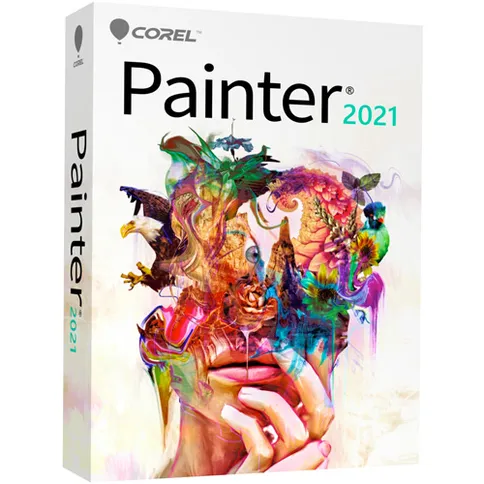

PLEASE NOTE: this is a download item. After ordering, you will receive a download code and link from our customer service with which you can activate the software. Download products cannot be returned.
419 €
PLEASE NOTE: this is a download item. After ordering, you will receive a download code and link from our customer service with which you can activate the software. Download products cannot be returned.
Reviews
Description
Corel Painter 2021 * DOWNLOAD *
Corel Painter 2021 is professional drawing software to create the most beautiful works of art. With hundreds of realistic brushes, exclusive media and a wide range of artistic tools, you can make the most beautiful creations.
Whether you want to get started with a thick brush, watercolour or chalk, Painter 2021 has a brush for every project. You can sketch or draw from scratch, but it is also possible to quickly turn photos into a true work of art. With the aid of artificial intelligence, a photo is transformed into a drawing in an amazing way.
For whom the standard tools and brushes are not enough, there is the possibility to customize them. In this way, you ensure an optimal workflow and get quick results.
This is the full version of Corel Painter 2021 that you can make unlimited use of. If you already have an earlier version of Painter, you can use the Upgrade version .
Features of Corel Painter 2021
- Professional drawing software
- Sketch, draw and illustrate
- More than 900 realistic brushes
- Use patterns, textures and gradients for a realistic result
- Tools for the best compositions
- User interface, pallets and brushes can be adjusted to your own liking
- Suitable for the use of a drawing tablet
- Compatible with Photoshop
- Suitable for Windows and Mac
System requirements Windows
- Windows 10 (64-bit), with the latest updates
- Intel Core 2 Duo or AMD Athlon 64 X2 processor
- 4 physical cores / 8 logical cores or higher (recommended)
- Support for AVX2 instruction set (recommended)
- Modern GPU with OpenCL compatibility (1.2 or higher) (recommended)
- 4 GB RAM
- 8 GB RAM or higher (recommended)
- 2.4 GB hard disk space for application files
- Solid State Drive (recommended)
- 1280 x 800 @ 100% (or higher) screen resolution
- 1920 x 1200 @ 150% (or higher) (recommended)
- Mouse or Wintab compatible tablet
- Microsoft Internet Explorer 11 or higher, with the latest updates
- To activate your product, you must connect to the Internet and register it first
System requirements Mac
- macOS 10.15 or 10.14, with the latest revision
- Intel Core 2 Duo processor
- 4 physical cores / 8 logical cores or higher (recommended)
- Modern GPU with OpenCL compatibility (1.2 or higher) (recommended)
- 4 GB RAM
- 8 GB RAM or higher (recommended)
- 1.8 GB hard disk space for application files
- Solid State Drive (recommended)
- Case-sensitive file systems are not supported
- 1280 x 800 @ 100% (or higher) screen resolution
- 1920 x 1200 @ 150% (or higher) (recommended)
- Mouse or tablet
- To activate your product, you must connect to the Internet and register it first
You will receive a download code with which you can download and activate Corel Painter 2021. Please note: downloadable software cannot be returned.
Information on the EU General Product Safety Regulation (GPSR)
Corel
Micromedia BV
Postbus 38303, 6503 AH Nijmegen, The Netherlands
Corel Painter 2021 * DOWNLOAD *
Corel Painter 2021 is professional drawing software to create the most beautiful works of art. With hundreds of realistic brushes, exclusive media and a wide range of artistic tools, you can make the most beautiful creations.
Whether you want to get started with a thick brush, watercolour or chalk, Painter 2021 has a brush for every project. You can sketch or draw from scratch, but it is also possible to quickly turn photos into a true work of art. With the aid of artificial intelligence, a photo is transformed into a drawing in an amazing way.
For whom the standard tools and brushes are not enough, there is the possibility to customize them. In this way, you ensure an optimal workflow and get quick results.
This is the full version of Corel Painter 2021 that you can make unlimited use of. If you already have an earlier version of Painter, you can use the Upgrade version .
Features of Corel Painter 2021
- Professional drawing software
- Sketch, draw and illustrate
- More than 900 realistic brushes
- Use patterns, textures and gradients for a realistic result
- Tools for the best compositions
- User interface, pallets and brushes can be adjusted to your own liking
- Suitable for the use of a drawing tablet
- Compatible with Photoshop
- Suitable for Windows and Mac
System requirements Windows
- Windows 10 (64-bit), with the latest updates
- Intel Core 2 Duo or AMD Athlon 64 X2 processor
- 4 physical cores / 8 logical cores or higher (recommended)
- Support for AVX2 instruction set (recommended)
- Modern GPU with OpenCL compatibility (1.2 or higher) (recommended)
- 4 GB RAM
- 8 GB RAM or higher (recommended)
- 2.4 GB hard disk space for application files
- Solid State Drive (recommended)
- 1280 x 800 @ 100% (or higher) screen resolution
- 1920 x 1200 @ 150% (or higher) (recommended)
- Mouse or Wintab compatible tablet
- Microsoft Internet Explorer 11 or higher, with the latest updates
- To activate your product, you must connect to the Internet and register it first
System requirements Mac
- macOS 10.15 or 10.14, with the latest revision
- Intel Core 2 Duo processor
- 4 physical cores / 8 logical cores or higher (recommended)
- Modern GPU with OpenCL compatibility (1.2 or higher) (recommended)
- 4 GB RAM
- 8 GB RAM or higher (recommended)
- 1.8 GB hard disk space for application files
- Solid State Drive (recommended)
- Case-sensitive file systems are not supported
- 1280 x 800 @ 100% (or higher) screen resolution
- 1920 x 1200 @ 150% (or higher) (recommended)
- Mouse or tablet
- To activate your product, you must connect to the Internet and register it first
You will receive a download code with which you can download and activate Corel Painter 2021. Please note: downloadable software cannot be returned.
Information on the EU General Product Safety Regulation (GPSR)
Corel
Micromedia BV
Postbus 38303, 6503 AH Nijmegen, The Netherlands
Specifications
| Info | |
|---|---|
| Article number | 12346507 |
| Info | |
|---|---|
| Article number | 12346507 |