


Adobe Photoshop Elements 2023 - PC - Digital Licence

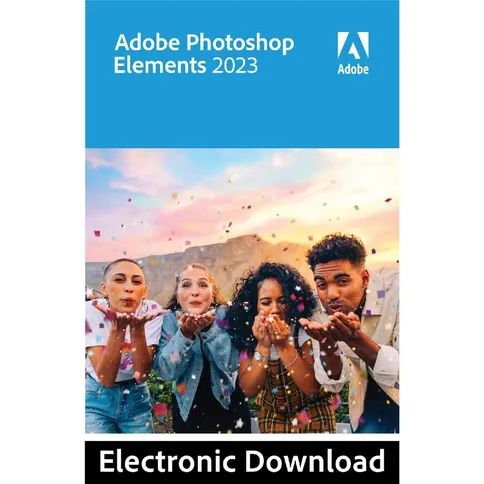

With Adobe Photoshop Elements, you have everything you need to create, organise, edit and share your photos.
99, 99 €
With Adobe Photoshop Elements, you have everything you need to create, organise, edit and share your photos.
Reviews
Description
Adobe Photoshop Elements 2023 - PC - Digital Licence
PLEASE NOTE: This is a download item. That means you CANNOT return this product.
Adobe Photoshop Elements
With Adobe Photoshop Elements, you have everything you need to create, organise, edit and share your photos. Edit your photos even more easily with automated options and Adobe Sensei AI. Keep all your photos in the handy organiser. Tags allow you to quickly find them later.
New in the 2023 version
Adobe Photoshop Elements 2023 includes the following new features: you now have the option to move an element in your photo. Choose the direction and speed of selection and share your new photo as an MP4 or GIF. Enhance your photos and create depth with new overlays or add patterns with brush strokes. Learn step-by-step editing via 61 helpful tutorials or get started right away on your own. The Expert editing mode gives you complete photo editing freedom. Editing is now extra easy thanks to improved installation and startup time. File sizes have also decreased, by 45%.
With Adobe Photoshop Elements 2023, you also get access to the new companion apps for web and smartphone. Please note that these apps are in beta version. The apps come with 2GB of cloud storage. In the web app, you can view photos, create photo presentations, and upload media to the cloud for use in the mobile app. In the mobile app, you can view photos and upload media to the cloud for use on your PC and in the web app. From the apps, you can also share media directly with social media and messaging apps.
Features of Adobe Photoshop Elements 2023 - PC - Digital Licence
New in Adobe Photoshop Elements 2023:
- Make an element in your photo move
- Add overlays for more depth in your photo
- New templates
- Develop your skills with step-by-step tutorials
- Improved installation and startup time
Minimum system requirements:
- 6th generation Intel processor or comparable AMD system
- Windows 10
- 8GB RAM
- 6GB hard drive space for app installation
- 20GB hard drive space for temporary storage while using the apps
- Screen resolution of 1280x800 (with 100% scaling factor)
- Internet connection for product activation and downloading online content
Package contents
- 1x digital PC licence for Adobe Photoshop Elements 2023
PLEASE NOTE: This is a download item. That means you CANNOT return this product. After ordering, you will receive a download code and link from our customer service that you can use to activate the software.
Adobe Photoshop Elements 2023 - PC - Digital Licence
PLEASE NOTE: This is a download item. That means you CANNOT return this product.
Adobe Photoshop Elements
With Adobe Photoshop Elements, you have everything you need to create, organise, edit and share your photos. Edit your photos even more easily with automated options and Adobe Sensei AI. Keep all your photos in the handy organiser. Tags allow you to quickly find them later.
New in the 2023 version
Adobe Photoshop Elements 2023 includes the following new features: you now have the option to move an element in your photo. Choose the direction and speed of selection and share your new photo as an MP4 or GIF. Enhance your photos and create depth with new overlays or add patterns with brush strokes. Learn step-by-step editing via 61 helpful tutorials or get started right away on your own. The Expert editing mode gives you complete photo editing freedom. Editing is now extra easy thanks to improved installation and startup time. File sizes have also decreased, by 45%.
With Adobe Photoshop Elements 2023, you also get access to the new companion apps for web and smartphone. Please note that these apps are in beta version. The apps come with 2GB of cloud storage. In the web app, you can view photos, create photo presentations, and upload media to the cloud for use in the mobile app. In the mobile app, you can view photos and upload media to the cloud for use on your PC and in the web app. From the apps, you can also share media directly with social media and messaging apps.
Features of Adobe Photoshop Elements 2023 - PC - Digital Licence
New in Adobe Photoshop Elements 2023:
- Make an element in your photo move
- Add overlays for more depth in your photo
- New templates
- Develop your skills with step-by-step tutorials
- Improved installation and startup time
Minimum system requirements:
- 6th generation Intel processor or comparable AMD system
- Windows 10
- 8GB RAM
- 6GB hard drive space for app installation
- 20GB hard drive space for temporary storage while using the apps
- Screen resolution of 1280x800 (with 100% scaling factor)
- Internet connection for product activation and downloading online content
Package contents
- 1x digital PC licence for Adobe Photoshop Elements 2023
PLEASE NOTE: This is a download item. That means you CANNOT return this product. After ordering, you will receive a download code and link from our customer service that you can use to activate the software.
Specifications
| General | |
|---|---|
| Article number | 12428048 |
| Suitable for | Photo editing |
| Operating system | Windows |
| Language |
| General | |
|---|---|
| Article number | 12428048 |
| Suitable for | Photo editing |
| Operating system | Windows |
| Language |