


Adobe Photoshop Elements 2021 - EN/FR/DE (Mac) *DOWNLOAD*

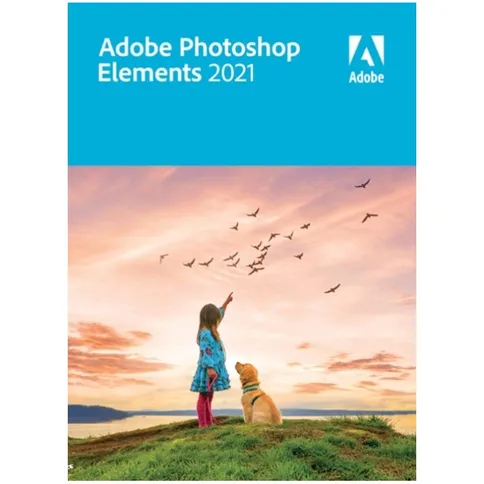

PLEASE NOTE: This product is a download. That means you CANNOT return this item.
99, 99 €
PLEASE NOTE: This product is a download. That means you CANNOT return this item.
Reviews
Description
Adobe Photoshop Elements 2021 - EN/FR/DE (Mac) *DOWNLOAD*
The 2021 version of Adobe Photoshop Elements has many features to get you started on your next video. You’ll get tips and tricks and all kinds of inspiration material when you start the program, such as slideshows and collages. The Adobe Sensei is also back to easily edit, create, organize, and share videos.
You can now easily convert static images into motion, colour photos automatically, adjust positions, and more. You will also get 58 editing options with instructions on how to achieve artistic creations. How about modern two-tone illustrations and perfect landscape photos?
You also get a lot more freedom with creating and sharing than before. For example, you'll get the opportunity to create inspiring, animated quote images for social media posts, and share photo presentations on YouTube and Vimeo.
New in the 2021 version
The Elements team has focused on some areas for improvement in Adobe Photoshop Elements for 2021:
- Make static images move, colour photos automatically, and adjust the position of a face
- Create inspirational animated quote images for social media
- Three new step-by-step editing options
- 58 simple editing options with instructions
- Share your movies with friends and family in various ways.
Features of Adobe Photoshop Elements 2021 – Multilanguage (Windows) * DOWNLOAD *
- Creative with tricks, ideas, tutorials, and pre-programmed slideshows
- Easily make artistic creations with 58 editing options including instructions
- Convert static pictures into animated images
- Colour photos automatically
- Inspirational animated quote images for social media
- Three new step-by-step editing options with instructions, such as two-tone illustrations, perfect landscape photos, and moving, scaling, and duplicating objects
- Organize your files easily
- Improved AI technology (Adobe Sensei)
- More options for sharing on social media
- Automatically remove disturbing elements
- Automatic backup of your catalogue
- Easily find photos
- Language: Multiple languages
- Operating System: Mac
System requirements Mac:
- Intel processor of 6th generation or newer
- macOS 10.14 to 10.15 or macOS 11
- 8 GB of available hard disk space to install applications; 10 GB extra to download all optional content; additional free space is required during installation (installation not possible on a volume with a case sensitive file system or on a removable Flash storage device)
- 8 GB RAM
- Screen resolution of 1280 x 800 (with 100% scaling factor)
- DVD-ROM drive (for installation from DVD)
- Internet connection required for product activation and content downloading*
Recommended specifications:
- 7th generation Intel processor or newer or similar AMD processor with SSE4 and AVX support
- 16 GB RAM for HD media
- 32GB RAM or more for 4K media
- 4 GB GPU-VRAM†
- Fast internal SSD for app installation and cache
- One or more extra, fast media drives
Package contents
You’ll receive a download code with which you can download and activate Adobe Photoshop Elements 2021. Please note: Downloadable software cannot be returned.
Adobe Photoshop Elements 2021 - EN/FR/DE (Mac) *DOWNLOAD*
The 2021 version of Adobe Photoshop Elements has many features to get you started on your next video. You’ll get tips and tricks and all kinds of inspiration material when you start the program, such as slideshows and collages. The Adobe Sensei is also back to easily edit, create, organize, and share videos.
You can now easily convert static images into motion, colour photos automatically, adjust positions, and more. You will also get 58 editing options with instructions on how to achieve artistic creations. How about modern two-tone illustrations and perfect landscape photos?
You also get a lot more freedom with creating and sharing than before. For example, you'll get the opportunity to create inspiring, animated quote images for social media posts, and share photo presentations on YouTube and Vimeo.
New in the 2021 version
The Elements team has focused on some areas for improvement in Adobe Photoshop Elements for 2021:
- Make static images move, colour photos automatically, and adjust the position of a face
- Create inspirational animated quote images for social media
- Three new step-by-step editing options
- 58 simple editing options with instructions
- Share your movies with friends and family in various ways.
Features of Adobe Photoshop Elements 2021 – Multilanguage (Windows) * DOWNLOAD *
- Creative with tricks, ideas, tutorials, and pre-programmed slideshows
- Easily make artistic creations with 58 editing options including instructions
- Convert static pictures into animated images
- Colour photos automatically
- Inspirational animated quote images for social media
- Three new step-by-step editing options with instructions, such as two-tone illustrations, perfect landscape photos, and moving, scaling, and duplicating objects
- Organize your files easily
- Improved AI technology (Adobe Sensei)
- More options for sharing on social media
- Automatically remove disturbing elements
- Automatic backup of your catalogue
- Easily find photos
- Language: Multiple languages
- Operating System: Mac
System requirements Mac:
- Intel processor of 6th generation or newer
- macOS 10.14 to 10.15 or macOS 11
- 8 GB of available hard disk space to install applications; 10 GB extra to download all optional content; additional free space is required during installation (installation not possible on a volume with a case sensitive file system or on a removable Flash storage device)
- 8 GB RAM
- Screen resolution of 1280 x 800 (with 100% scaling factor)
- DVD-ROM drive (for installation from DVD)
- Internet connection required for product activation and content downloading*
Recommended specifications:
- 7th generation Intel processor or newer or similar AMD processor with SSE4 and AVX support
- 16 GB RAM for HD media
- 32GB RAM or more for 4K media
- 4 GB GPU-VRAM†
- Fast internal SSD for app installation and cache
- One or more extra, fast media drives
Package contents
You’ll receive a download code with which you can download and activate Adobe Photoshop Elements 2021. Please note: Downloadable software cannot be returned.
Specifications
| General | |
|---|---|
| Article number | 12349207 |
| Suitable for | Photo editing |
| Operating system | MacOs |
| Language |
| General | |
|---|---|
| Article number | 12349207 |
| Suitable for | Photo editing |
| Operating system | MacOs |
| Language |