




DJI Care Refresh Osmo Action Card

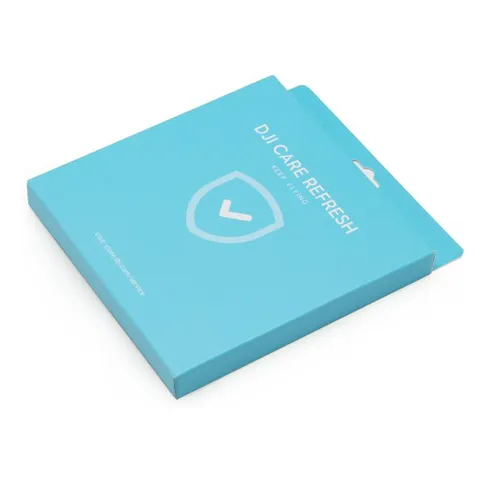


You use the DJI Care Refresh to insure your DJI Osmo Action against damage. With the DJI Care Refresh you are cheaper than having the actioncam repaired yourself.
List price 39 €
5 €
Delivered within 3 to 4 working days
You use the DJI Care Refresh to insure your DJI Osmo Action against damage. With the DJI Care Refresh you are cheaper than having the actioncam repaired yourself.
Reviews
Description
DJI Care Refresh Osmo Action Card
The DJI Care Refresh is a one-year damage insurance for your DJI Osmo Action. With the insurance you will be reimbursed for a large part of the repair costs, which means that you are cheaper than if you have the actioncam repaired yourself. The insurance covers damage caused by a defect, incorrect use, collision or water damage. It is possible to replace two parts per year (for a small contribution). In addition, the DJI Care Refresh always gives you advice about your products when you need it. In addition, the products are shipped for free. You can also opt for the DJI Care Refresh EXPRESS option, which will help you even faster.
Regions:
This insurance is for sale in the following regions: United States; Canada; Europe; Switzerland; Norway; United Kingdom, Australia; Japan; Hong Kong; Taiwan; and China.
How do I activate the DJI Care Refresh Card?
- Go to the activation page: support.dji.com/care/active
- Enter the following: serial number of the drone, the activation code of the DJI Care Refresh and your personal information
- The DJI Care Refresh agreement will be sent to your email address
What are the conditions?
The DJI Care Refresh sets some conditions for the insurance:
- The actioncam has not yet been activated or has just been activated
- You must activate the DJI Care Refresh within 30 days of purchase
- The repairs are only valid in the indicated regions
- The Care Refresh is not valid on DJI Osmo Action OUTLET
- The DJI Care Refresh is valid for 1 year (12 months)
How does the repair process work?
The process follows the following five steps:
- In the event of a defect or damage, please contact DJI at: www.dji.com/support. Here you will find instructions on how to send in your defective or damaged DJI Osmo Action.< /li>
- Put a repair request at: www.dji.com/service/repair
- The request will be sent to the DJI Repair centre
- You will then pay a small fee for the replacement. For the first time this amount is €29,- and for the second time this amount is €39,-.
- Your repaired DJI Osmo Action will be delivered to you for free
Repair Process Considerations:
- You must have the DJI Osmo Action in your possession and present it for repair. If the actioncam is lost, DJI will not reimburse you.
- Maintain contact with DJI yourself. It is possible to arrange the repair via Kamera Express, but this will cause logistical delay.
In the Box:
- DJI Care Refresh for the DJI Osmo Action
- Two-year warranty
Information on the EU General Product Safety Regulation (GPSR)
DJI
A&C Systems
Hogeweg 37C, 5301 LJ Zaltbommel, The Netherlands
DJI Care Refresh Osmo Action Card
The DJI Care Refresh is a one-year damage insurance for your DJI Osmo Action. With the insurance you will be reimbursed for a large part of the repair costs, which means that you are cheaper than if you have the actioncam repaired yourself. The insurance covers damage caused by a defect, incorrect use, collision or water damage. It is possible to replace two parts per year (for a small contribution). In addition, the DJI Care Refresh always gives you advice about your products when you need it. In addition, the products are shipped for free. You can also opt for the DJI Care Refresh EXPRESS option, which will help you even faster.
Regions:
This insurance is for sale in the following regions: United States; Canada; Europe; Switzerland; Norway; United Kingdom, Australia; Japan; Hong Kong; Taiwan; and China.
How do I activate the DJI Care Refresh Card?
- Go to the activation page: support.dji.com/care/active
- Enter the following: serial number of the drone, the activation code of the DJI Care Refresh and your personal information
- The DJI Care Refresh agreement will be sent to your email address
What are the conditions?
The DJI Care Refresh sets some conditions for the insurance:
- The actioncam has not yet been activated or has just been activated
- You must activate the DJI Care Refresh within 30 days of purchase
- The repairs are only valid in the indicated regions
- The Care Refresh is not valid on DJI Osmo Action OUTLET
- The DJI Care Refresh is valid for 1 year (12 months)
How does the repair process work?
The process follows the following five steps:
- In the event of a defect or damage, please contact DJI at: www.dji.com/support. Here you will find instructions on how to send in your defective or damaged DJI Osmo Action.< /li>
- Put a repair request at: www.dji.com/service/repair
- The request will be sent to the DJI Repair centre
- You will then pay a small fee for the replacement. For the first time this amount is €29,- and for the second time this amount is €39,-.
- Your repaired DJI Osmo Action will be delivered to you for free
Repair Process Considerations:
- You must have the DJI Osmo Action in your possession and present it for repair. If the actioncam is lost, DJI will not reimburse you.
- Maintain contact with DJI yourself. It is possible to arrange the repair via Kamera Express, but this will cause logistical delay.
In the Box:
- DJI Care Refresh for the DJI Osmo Action
- Two-year warranty
Information on the EU General Product Safety Regulation (GPSR)
DJI
A&C Systems
Hogeweg 37C, 5301 LJ Zaltbommel, The Netherlands
Specifications
| Info | |
|---|---|
| Article number | 12304458 |
| Overig | |
|---|---|
| Power plug |
| Info | |
|---|---|
| Article number | 12304458 |
| Overig | |
|---|---|
| Power plug |